Hotel management software
Run your rooms, kitchen and room service from one screen.
Bookings, check-ins, housekeeping and the guest's bill sit in one place. Guests scan the QR in their room to order food — it reaches your kitchen in seconds and lands on their bill.
- Room QR ordering
- Guest folio
- Housekeeping

Room QR ordering
From the room to the kitchen, without a phone call
The guest orders, the kitchen cooks, the bill updates itself. Reception never has to pick up the phone.
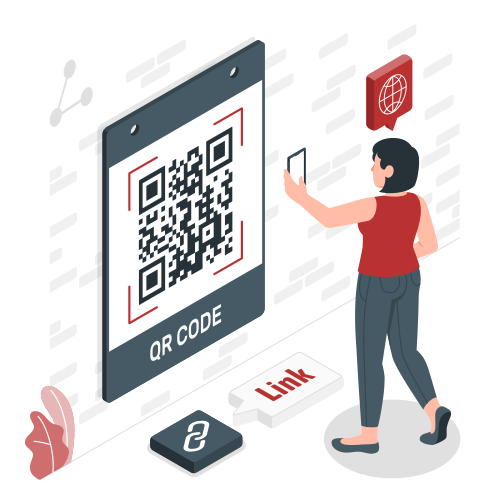
- 1Guest scans the room QREvery room has its own QR code. The menu opens in the phone's browser — no app.
- 2Orders from your menuThe guest picks dishes from the same menu your restaurant uses and places the order.
- 3Straight to the kitchenThe order goes out as a KOT — printed at the right station or shown on the Kitchen Display.
- 4Added to the room billRoom service is charged to that room's folio, so the guest pays once at check-out.
Front desk
Every room, guest and bill in one view
See which rooms are occupied, reserved or being cleaned, check guests in and out, and settle one folio that already holds the stay, restaurant and room-service charges.
- Room status board
- Room service added to the guest's folio
- Check-in, check-out and one bill per stay
- Night audit at day end
Room booking & operations
Everything the front desk needs
- Room bookingTake reservations by room type and date and see upcoming arrivals at a glance.
- Check-in & check-outCheck guests in at the front desk and settle the whole stay at check-out.
- Rooms & room typesSet up floors, areas, rooms and room types the way your property is laid out.
- Guest recordsKeep each guest's details and stay history ready for the next visit.
- HousekeepingTrack which rooms are occupied, vacant or being cleaned, and assign tasks.
- Night auditClose the business day with a night audit before the next one starts.
Hotel reports
Know how the property did today
Filter any report by date and branch, and see the hotel next to your restaurant sales in the same account.
- Occupancy report
- Revenue report
- Reservations report
- Rooms report
- Guests report
- Housekeeping report
Hotel + restaurant
One account for the rooms and the restaurant
Your hotel uses the same menu, kitchen, stock and reports as your restaurant — no second system to learn.