
Inventory Management
Restaurant inventory software that tracks stock before service.
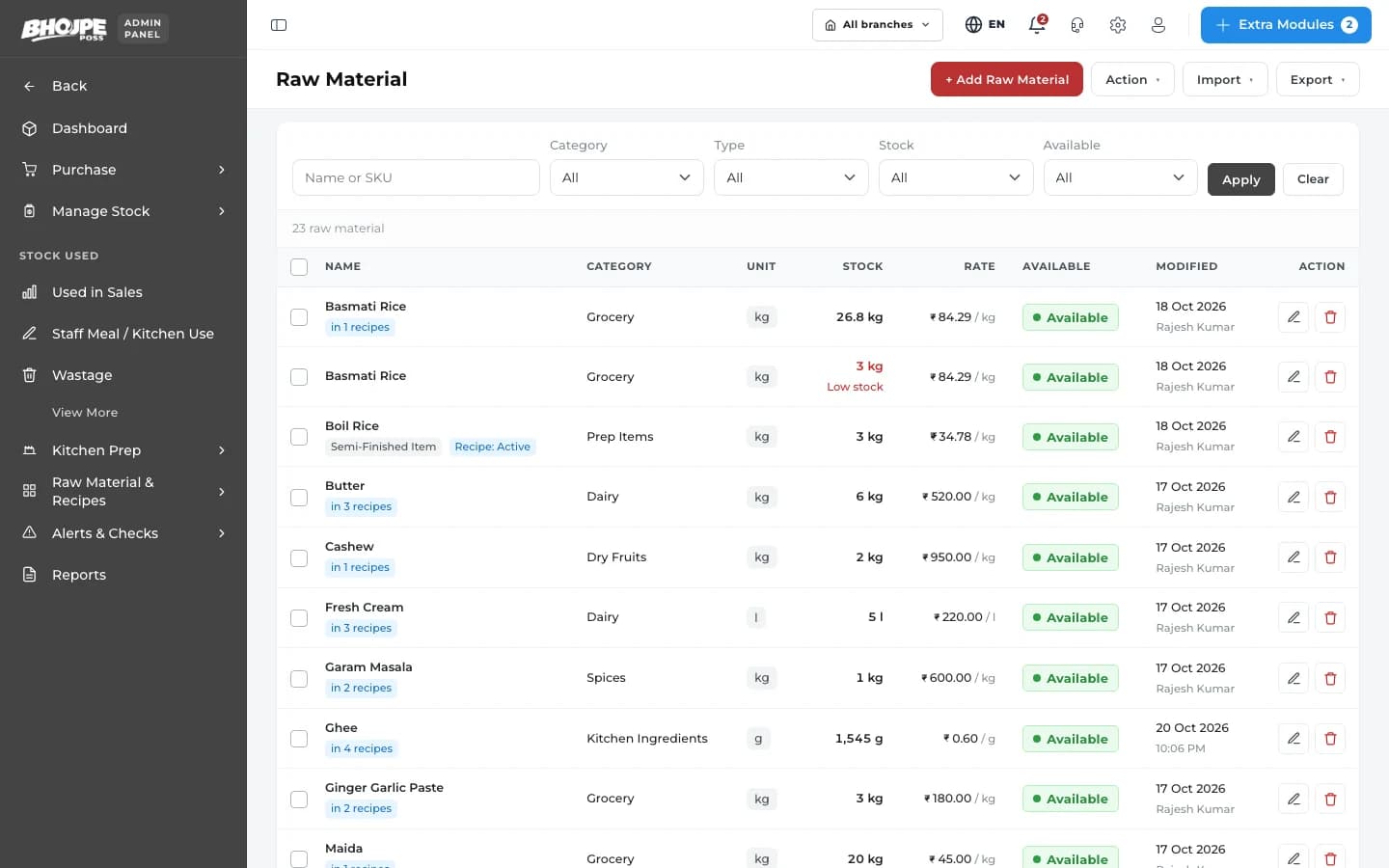
Bhojpe deducts raw material as you sell, warns you before items run out and keeps purchases and wastage on record — so stock surprises stop happening mid-service.
- Auto stock deduction
- Low-stock alerts
- Purchase entries
Inventory Management
Inventory that keeps itself up to date
Auto stock deduction
Every sale reduces raw material based on the recipe.
Low-stock alerts
Set minimum levels and get alerted before you run out.
Purchase entries
Record what you buy, from whom and at what price.
Wastage tracking
Log spoilage and wastage to see where stock goes.
Units & conversions
Buy in kg or litres, use in grams or ml.
Stock reports
Opening, closing and consumption reports by period.
Alerts
Reorder on time, every time.
Low-stock items are flagged on your dashboard so your purchase team knows what to buy before the next service.
- Minimum level per item
- Clear low-stock list
- Outlet-wise stock
Recipes
Stock that moves with your menu.
Link each dish to its recipe, and Bhojpe deducts the right quantity of each ingredient whenever it is sold.
- Ingredient-level deduction
- Works with combos and variants
- Food cost per dish
How restaurant stock control works in Bhojpe
Most restaurants discover a stock problem when a dish cannot be served. The fix is to connect stock to sales. Once a dish is linked to its recipe, every sale reduces the ingredients it uses, so the system always has an expected stock figure without anyone counting between deliveries.
You buy paneer by the kilo and use it by the gram, so stock is held in a purchase unit and recipes use a consumption unit, with the conversion handled for you. Record purchases against suppliers, log wastage when something spoils, and run a stock count to compare what the system expects with what is on the shelf. The gap between the two is the number worth investigating.
Minimum levels turn this into an early warning: items below their level appear in a low-stock list, so the purchase order goes out before service, and it can be sent to the supplier on WhatsApp. To go further on margins, pair this with recipe and food cost.
- Stock reduces by recipe as you sell
- Purchase unit and recipe unit conversion
- Physical count compared with system stock